vue入门教程2
vue入门学习笔记
工具安装
vscode
1、vue语法
mvvm模式

1.1 编写案例helloworld count计数器
最简单的一个demo

计算器demo
<!DOCTYPE html>
<html lang="en">
<head>
    <meta charset="UTF-8">
    <meta http-equiv="X-UA-Compatible" content="IE=edge">
    <meta name="viewport" content="width=device-width, initial-scale=1.0">
    <title>hello, world!</title>
    <script src="https://unpkg.com/vue@next"></script>
</head>
<body>
    <div id="root"></div>
</body>


<script>
    Vue.createApp({  //创建Vue实例

        data(){
           return {
            content: 1
           }
        },
        mounted(){
        console.log('mounted')  //当页面加载完,这个函数会自动执行
        },
        template: '<div>{{content}}</div>'
    }).mount('#root')
</script>
</html>
完成加载器
<!DOCTYPE html>
<html lang="en">
<head>
    <meta charset="UTF-8">
    <meta http-equiv="X-UA-Compatible" content="IE=edge">
    <meta name="viewport" content="width=device-width, initial-scale=1.0">
    <title>hello, world!</title>
    <script src="https://unpkg.com/vue@next"></script>
</head>
<body>
    <div id="root"></div>
</body>


<script>
    Vue.createApp({  //创建Vue实例

        data(){
           return {
            content: 1
           }
        },
        mounted(){
        setInterval(()=>{
            this.content += 1;  //指向的是 this.$data.content,就是data中的content
                             //手动就是document.getElementById('root').innerHTML(2) 现在就是不需要这样操作了
                            //之前就是面向dom编程,现在就是面向数据编程
        }, 1000)
        },
        template: '<div>{{content}}</div>'
    }).mount('#root')
</script>
</html>
1.2 事件绑定的使用
写一个字符串反转的demo
<!DOCTYPE html>
<html lang="en">

<head>
    <meta charset="UTF-8">
    <meta http-equiv="X-UA-Compatible" content="IE=edge">
    <meta name="viewport" content="width=device-width, initial-scale=1.0">
    <title>hello, world!</title>
    <script src="https://unpkg.com/vue@next"></script>
</head>

<body>
    <div id="root"></div>
</body>


<script>
    Vue.createApp({  //创建Vue实例

        data() {
            return {
                content: "hello, world"
            }
        },
        methods: {
           handleBtnClick(){
            this.content = this.content.split('').reverse().join('');
           }
        },
        template: `
        <div>
            {{content}}
            <button v-on:click="handleBtnClick">反转</button>
            </div>

        `
    }).mount('#root')
</script>

</html>
写一个内容隐藏的小功能
<!DOCTYPE html>
<html lang="en">

<head>
    <meta charset="UTF-8">
    <meta http-equiv="X-UA-Compatible" content="IE=edge">
    <meta name="viewport" content="width=device-width, initial-scale=1.0">
    <title>hello, world!</title>
    <script src="https://unpkg.com/vue@next"></script>
</head>

<body>
    <div id="root"></div>
</body>

<script>
    Vue.createApp({  //创建Vue实例

        data() {
            return {
                content: "hello, world",
                show: true
            }
        },
        methods: {
           handleBtnClick(){
            this.show = !this.show
           }
        },
        template: `
        <div>
            <span v-if="show"> {{content}} </span>
            <button v-on:click="handleBtnClick">显示/隐藏</button>
            </div>

        `
    }).mount('#root')
</script>

</html>
1.3 v-mode的一些使用
循环的一些功能使用和简单的todolist
列表循环展示
<!DOCTYPE html>
<html lang="en">

<head>
    <meta charset="UTF-8">
    <meta http-equiv="X-UA-Compatible" content="IE=edge">
    <meta name="viewport" content="width=device-width, initial-scale=1.0">
    <title>hello, world!</title>
    <script src="https://unpkg.com/vue@next"></script>
</head>

<body>
    <div id="root"></div>
</body>


<script>
    Vue.createApp({  //创建Vue实例

        data() {
            return {
                content: "hello, world",
                show: true,
                list: ["hello","wold","dell","lee"]
            }
        },

        template: `
         <ul>
            <li v-for="(item,index) of list">{{item}} {{index+1}}</li>
         </ul>
        `
    }).mount('#root')
</script>

</html>
push数据
<v-model中的inputValue跟data中的inputValue做了绑定
<!DOCTYPE html>
<html lang="en">

<head>
    <meta charset="UTF-8">
    <meta http-equiv="X-UA-Compatible" content="IE=edge">
    <meta name="viewport" content="width=device-width, initial-scale=1.0">
    <title>hello, world!</title>
    <script src="https://unpkg.com/vue@next"></script>
</head>

<body>
    <div id="root"></div>
</body>


<script>
    Vue.createApp({  //创建Vue实例

        data() {
            return {
                content: "hello, world",
                show: true,
                list: [],
                inputValue: '',
            }
        },
        methods: {
            handleAdxdItem(){
              console.log(this.inputValue)
              this.list.push(this.inputValue)
              this.inputValue=''  //在input中输入后点击增加完自动清空输入中的内容
            }
        },
        template: `
        <div>
         <input v-model="inputValue" />
         <button v-on:click="handleAdxdItem">增加</button>
         <ul>
            <li v-for="(item,index) of list">{{item}} {{index+1}}</li>
         </ul>
         </div>
        `
    }).mount('#root')
</script>

</html>
1.4 标签属性跟数据进行绑定-v-bind
就是在vue中,如何实现对一个标签的属性上展示数据的值呢 ?

鼠标放在上面进行展示

-
在标签上的某个属性和数据进行绑定使用 v-bind
-
在标签内部想使用数据直接使用
{{数据值}}
1.5 组件
就是页面上的一部分
组件如何拆分,组件如何进行组合 ?
定义一个常量 app
app.component来定义需要展示的dom内容
最后通过app.mount挂载到指定的组件中
<!DOCTYPE html>
<html lang="en">

<head>
    <meta charset="UTF-8">
    <meta http-equiv="X-UA-Compatible" content="IE=edge">
    <meta name="viewport" content="width=device-width, initial-scale=1.0">
    <title>hello, world!</title>
    <script src="https://unpkg.com/vue@next"></script>
</head>

<body>
    <div id="root"></div>
</body>


<script>
  const app =  Vue.createApp({  //创建Vue实例

        data() {
            return {
                content: "hello, world",
                show: true,
                list: [],
                inputValue: '',
            }
        },
        methods: {
            handleAdxdItem(){
              console.log(this.inputValue)
              this.list.push(this.inputValue)
              this.inputValue=''  //在input中输入后点击增加完自动清空输入中的内容
            }
        },
        template: `
        <div>
         <input v-model="inputValue" />
         <button v-on:click="handleAdxdItem" v-bind:title="inputValue">增加</button>
         <ul>
            <todo-item
              v-for="(item, index) of list"
              v-bind:content="item"  //可以通过v-bind绑定一个属性,会传递到下面app.component当中去
              v-bind:index="index"   //可以通过v-bind绑定一个属性,会传递到下面app.component当中去
              />
         </ul>
         </div>
        `
    })

    app.component('todo-item',{
        props: ['content','index'],
        template: '<li>{{index}} -- {{content}}</li>'
    })
    app.mount('#root')
</script>

</html>
2 vue的基础语法
2.1 应用和组件的基础概念

提到数据连接层的时候就是vue的一个一个组件而已
<!DOCTYPE html>
<html lang="en">

<head>
    <meta charset="UTF-8">
    <meta http-equiv="X-UA-Compatible" content="IE=edge">
    <meta name="viewport" content="width=device-width, initial-scale=1.0">
    <title>hello, world!</title>
    <script src="https://unpkg.com/vue@next"></script>
</head>

<body>
    <div id="root"></div>
</body>


<script>

    //createApp 表示创建一个vue应用
    //传入的参数表示,这个应用最外层的组件,应该如何展示
    // mvvm设计模式, m --> model 数据   v --> view 视图,   vm --> viewModel 视图数据连接层
    const app = Vue.createApp({  //创建Vue实例
        data() {                               //代表的就是数据层
            return {
                message: 'hello, world'
            }
        },
        template: "<div>{{message}}</div>"    //代表就是view视图
    })

    //vm 代表的就是vue应用的根组件
    const vm = app.mount('#root')
</script>

</html>
在浏览器控制台,如果想要data中的一些数据,可以使用vm.$data.message 这样的方式获取,也可以进行修改 vm.$data.message ="hello"
,数据修改了,页面也就跟着变化
2.2 vue的生命周期函数
在前面,写过一些函数,比如 methods 中定义了一些函数,我们通过鼠标点击的时候会自动执行,不点击的时候不会执行,比如下面
<script>

   //  生命周期函数: 就是在某一时刻会自动执行的函数
    const app = Vue.createApp({  //创建Vue实例
        data() {                               //代表的就是数据层
            return {
                message: 'hello, world'
            }
        },

        methods: {
           handleItemClick() {
            alert('click')
           }
        },
        template: "<div v-on:click='handleItemClick'>{{message}}</div>"    //代表就是view视图
    })

    //vm 代表的就是vue应用的根组件
    const vm = app.mount('#root')
</script>
但是这种不是自动执行的,那么,下面将会演示什么是生命周期函数,两个特点
- 某一时刻
- 自动执行
下面这种是属于自动执行的,不需要点击,就是生命周期函数
<script>

   //  生命周期函数: 就是在某一时刻会自动执行的函数
    const app = Vue.createApp({  //创建Vue实例
        data() {                               //代表的就是数据层
            return {
                message: 'hello, world'
            }
        },

        mounted() {

            alert('mounted')
        },
        template: "<div>{{message}}</div>"    //代表就是view视图
    })

    //vm 代表的就是vue应用的根组件
    const vm = app.mount('#root')
</script>
生命周期图例
init(Events & Lifecycle) 分析在template中有没有事件的绑定,比如v-on等,mounted生命周期函数,之后就会执行beforeCreate
init(Injections & reactivity) 检测是否存在双向绑定等,然后执行created函数
template: 检测vue中是否存在template部分,如果有,就执行左边的部分,生成一个render函数,然后数据和这个函数进行结合,将数据进行渲染出来

下面对每个生命周期函数进行详细讲解
八个生命周期函数代码演示
<!DOCTYPE html>
<html lang="en">

<head>
    <meta charset="UTF-8">
    <meta http-equiv="X-UA-Compatible" content="IE=edge">
    <meta name="viewport" content="width=device-width, initial-scale=1.0">
    <title>hello, world!</title>
    <script src="https://unpkg.com/vue@next"></script>
</head>

<body>
    <div id="root">

        <div>{{message}}</div>

    </div>

</body>


<script>

   //  生命周期函数: 就是在某一时刻会自动执行的函数
    const app = Vue.createApp({  //创建Vue实例
        data() {                               //代表的就是数据层
            return {
                message: 'hello, world'
            }
        },

       //在实例生成之前会自动执行的函数
        beforeCreate(){
            console.log('beforeCreate')
        },

        //在实例生成之后会自动执行的函数
        created(){
            console.log('created')
        },
        //在组件内容被渲染到页面之前会自动执行的函数- 就是页面数据没有生成之前进行渲染的函数
        beforeMount(){
           console.log(document.getElementById('root').innerHTML,'mounted')
        },

        //在组件内容被渲染到页面之后自动执行的函数
        mounted(){
            console.log(document.getElementById('root').innerHTML,'mounted')
        },

        //当data中的数据发生变化时会自动执行的函数
        beforeUpdate() {
            console.log(document.getElementById('root').innerHTML,'beforeUpdate');
        },

        //当数据发生变化,页面重新渲染后,会自动执行的函数
        updated(){
            console.log(document.getElementById('root').innerHTML,'updated')
        },

        //当Vue应用失效时,自动执行的函数
        beforeUnmount() {
            console.log(document.getElementById('root').innerHTML,'beforeUnmount');
        },

        //当Vue应用失效时,且dom完全销毁之后, 自动执行的函数
        unmounted(){
            console.log(document.getElementById('root').innerHTML,'unmounted');
        },
        //template: "<div>{{message}}</div>"    //代表就是view视图
    })


    //vm 代表的就是vue应用的根组件
    const vm = app.mount('#root')
</script>

</html>
- beforeCreate
- created
- beforeMount
- mounted
- beforeUpdate
- updated
- beforeUnmount
- unmounted
beforeUpdate //当data中的数据发生变化时会自动执行的函数
        //当data中的数据发生变化时会自动执行的函数
        beforeUpdate() {
            console.log('beforeUpdate');
        },

update //当数据发生变化,页面重新渲染后,会自动执行的函数

剩下两个生命周期函数, 在进行 app.unmount()函数下线后,执行的函数
- beforeUnmoun //当Vue应用失效时,自动执行的函数
- unmounted //当Vue应用失效时,且dom完全销毁之后, 自动执行的函数

补充: 在前面template 在判断是否存在时,如果存在,则执行,不存在则会自动执行
存放在这里的视图模板文件更换后就是类似于下面这样
<body>
    <div id="root">

        <div>{{message}}</div>

    </div>

</body>
json表达式跟json语句的区别
2.3 常用模板语法讲解
v-html使用
在data部分,如何实现对数据实现进行加粗效果呢
hello, world --> hello, world
如果按照常规使用下面的方式肯定实现不了
<script>

   //  生命周期函数: 就是在某一时刻会自动执行的函数
    const app = Vue.createApp({  //创建Vue实例
        data() {                               //代表的就是数据层
            return {
                message: '<strong>hello, world</strong>'
            }
        },


        template: "<div>{{message}}</div>"    //代表就是view视图
    })
    //vm 代表的就是vue应用的根组件
    const vm = app.mount('#root')
</script>
正确的方式是使用下面的方式
就是div这个标签上使用v-html 方式展示内容,就会实现加粗的效果
<script>

   //  生命周期函数: 就是在某一时刻会自动执行的函数
    const app = Vue.createApp({  //创建Vue实例
        data() {                               //代表的就是数据层
            return {
                message: '<strong>hello, world</strong>'
            }
        },


        template: `<div v-html="message"></div>`    //修改此处为v-html
    })


    //vm 代表的就是vue应用的根组件
    const vm = app.mount('#root')
</script>
v-bind使用
<script>

   //  生命周期函数: 就是在某一时刻会自动执行的函数
    const app = Vue.createApp({  //创建Vue实例
        data() {                               //代表的就是数据层
            return {
                message: 'hello, world'
            }
        },
        template: `<div v-bind:title="message">{{message}}</div>`    //代表就是view视图
    })

    //vm 代表的就是vue应用的根组件
    const vm = app.mount('#root')
</script>

v-bind用法2
控制Input输入框的两种方式,第一种下面的方式就是不可输入状态

能够输入在于data中的disable是否为true,如果为true,还是不生效 ,所以,这种就没有作用所以,需要使用v-bind进行绑定
修改后的代码就是下面的这种
<script>

    //  生命周期函数: 就是在某一时刻会自动执行的函数
    const app = Vue.createApp({  //创建Vue实例
        data() {                               //代表的就是数据层
            return {
                message: 'hello, world',
                disable: false,
            }
        },
        template: `<input v-bind:disabled="disable" />`    //代表就是view视图
    })

    //vm 代表的就是vue应用的根组件
    const vm = app.mount('#root')
</script>
支持的几种表达式
template: `<div>{{'a' + 'b'}}</div>`
执行结果: ab
vm变化不会更新dom展示变化的方式
template: `<div v-once>{{message}}</div>`

v-if使用
在dom中是否需要展示数据,通过show是否是为真来判断是否需要展示,下面false表示不需要展示
<script>

    //  生命周期函数: 就是在某一时刻会自动执行的函数
    const app = Vue.createApp({  //创建Vue实例
        data() {                               //代表的就是数据层
            return {
                message: 'hello, world',
                show: false
            }
        },
        template: `<div v-if="show">{{message}}</div>`    //代表就是view视图
    })

    //vm 代表的就是vue应用的根组件
    const vm = app.mount('#root')
</script>
v-on使用
绑定一个事件,在点击的时候进行触发
<script>

    //  生命周期函数: 就是在某一时刻会自动执行的函数
    const app = Vue.createApp({  //创建Vue实例
        data() {                               //代表的就是数据层
            return {
                message: 'hello, world',
                show: false
            }
        },
        methods: {
            handleClick(){
                alert('click')
            }
        },
        template: `<div v-on:click="handleClick">{{message}}</div>`    //代表就是view视图
    })

    //vm 代表的就是vue应用的根组件
    const vm = app.mount('#root')
</script>
在点击的时候弹框

注意:
v-on:click ---> 可以用于@click表示
v-bind:title ---> 可用用于缩写为 :title
动态参数的绑定
动态属性的绑定,实现对title和click的动态绑定也是可以的
<script>

    //  生命周期函数: 就是在某一时刻会自动执行的函数
    const app = Vue.createApp({  //创建Vue实例
        data() {                               //代表的就是数据层
            return {
                message: 'hello, world',
                show: false,
                name: 'title1',
                event: 'click'
            }
        },
        methods: {
            handleClick(){
                alert('click')
            }
        },
        template:
          `<div
          @[event]="handleClick"   //event 有ckick,mouseenter等多种
          :[name]="message"
          >
          {{message}}
          </div>`    //代表就是view视图
    })

    //vm 代表的就是vue应用的根组件
    const vm = app.mount('#root')
</script>
模板修饰符
@click.prevent 简化操作
<script>

    //  生命周期函数: 就是在某一时刻会自动执行的函数
    const app = Vue.createApp({  //创建Vue实例
        data() {                               //代表的就是数据层
            return {
                message: 'hello, world',
                show: false,
                name: 'title1',
                event: 'click'
            }
        },
        methods: {
            handleClick(){
                alert('click')
            }
        },
        template:
          `
          <form action="https://www.zlqit.com" @click.prevent="handleClick">
             <button type="submit">提交</button>
          </form>
          `    //代表就是view视图
    })

    //vm 代表的就是vue应用的根组件
    const vm = app.mount('#root')
</script>
2.4 数据,方法,计算属性和侦听器
- data
- methods
- computed
- watcher
1.第一个 data ,前面讲过很多次,可以定义数据,通过vm.$data.message可以进行修改,如果是根数据,直接可以通过vm.message=''来修改
2.methods
不要使用箭头函数,会涉及到定义域的问题,如果使用箭头函数,使用this会直接调用的是windows对象,所以会出现问题,推荐看es6语法
//下面定义了一个方式,并且给传递了一个参数
<script>

    //  生命周期函数: 就是在某一时刻会自动执行的函数
    const app = Vue.createApp({  //创建Vue实例
        data() {                               //代表的就是数据层
            return {
                message: 'hello, world',
                show: false,
                name: 'title1',
                event: 'click'
            }
        },
        methods: {
           formatString(string){
            return string.toUpperCase();
           }
        },
        template:
          `
          <div>{{formatString(message)}}</div>
          `    //代表就是view视图
    })
    //vm 代表的就是vue应用的根组件
    const vm = app.mount('#root')
</script>
计算属性的用法,对于需要计算的需求可以单独通过计算属性来做
<script>

    //  生命周期函数: 就是在某一时刻会自动执行的函数
    const app = Vue.createApp({  //创建Vue实例
        data() {                               //代表的就是数据层
            return {
                message: 'hello, world',
                count1: 21,
                price: 5,
            }
        },
        computed:{
          total(){
            return  this.count * this.price
          }
        },
        methods: {
           formatString(string){
            return string.toUpperCase();
           }
        },
        template: `
          <div>{{total}}</div>
          `    //代表就是view视图
    })
    //vm 代表的就是vue应用的根组件
    const vm = app.mount('#root')
</script>

methods: 数据只要发生改变,则会重新执行一次,只要页面重新渲染,才会重新计算
computed: 数据发生改变,只会更新变动的部分,当计算属性依赖的内容发生变更时,才会重新执 行计算
watch: 可以实现对一些数据的监听,如果数据改变了,可以执行的一些操作
条件渲染

3、探索组件的理念
3.1 组件的如何拆解为多个,然后方便管理
第一个是根组件, hello和world是子组件,把复杂的页面转换为多个组件进行维护,降低成本

组件的第二个特性,就是复用性,组件复用的时候数据是独享的,不是共享的
**app.component **定义的是全局的组件,除了在跟组件中可以使用,在子组件中也可以使用,性能不高,但是处处可以使用它,名字建议,小写字母单词,中间用横线
局部组件:要注册之后才能使用,性能比较高,使用起来有些麻烦,建议大写字母开头,驼峰命名
局部组件使用时,要做一个名字和组件间的映射对象,你不写映射,Vue底层也会自动尝试帮你做映射
<script>
    const Counter = {
        data() {
            return {
                count: 1
            }
        },
        template: `<div  @click="count +=1">{{count}}</div>`
    }

    const HelloWorld = {
        template: `<div>hello world</div>`
    }

    //  生命周期函数: 就是在某一时刻会自动执行的函数
    const app = Vue.createApp({
      components: {
        // counter: Counter,
        // 'hello-world': HelloWorld,
        Counter, HelloWorld
      },
      template: `
      <div>
       <hello-world />
       <counter />
      </div>
      `
    })
    //vm 代表的就是vue应用的根组件
    const vm = app.mount('#root')
</script>
3.2 父组件通过属性值传递给子组件
<script>

    const app = Vue.createApp({
      template: `
      <div><test content="hello world" /> </div>
      `
    })

    app.component('test',{
     props: ['content'],
     template: `<div>{{content}}</div>`
    })
    //vm 代表的就是vue应用的根组件
    const vm = app.mount('#root')
</script>
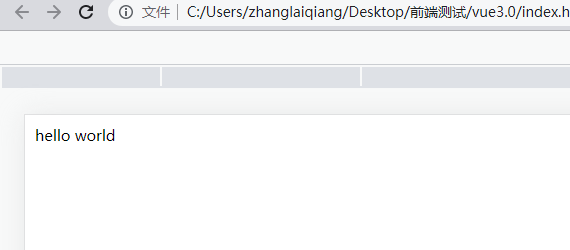
上面的这种传递方式为静态的,所以值为string 类型,如果使用动态的,可以使用v-bind进行绑定
<script>

    const app = Vue.createApp({
      data() {
        return {num: 123}
      },
      template: `
      <div><test v-bind:content="num" /> </div>   //把num值传递给子组件,类型就是number
      `
    })

    app.component('test',{
     props: ['content'],
     template: `<div>{{typeof content}}</div>`
    })
    //vm 代表的就是vue应用的根组件
    const vm = app.mount('#root')
</script>
传递的类型: String , Boolean , Array, Object, Function, Symbol
required: 必填
default 默认值
单项数据流的概念: 子组件可以使用父组件传递过来的数据,但是绝对不能修改传递过来的数据
<script>

    const app = Vue.createApp({
      data() {
        return {num: 123}
      },
      template: `
      <div>
        <counter :count="num" />
        </div>
      `
    })

    app.component('counter',{
     props: ['count'],
     template: `<div @click="count +=1">{{count}}</div>`
    })
    //vm 代表的就是vue应用的根组件
    const vm = app.mount('#root')
</script>
所以解决方法就是先复制一份过来,然后进行修改即可
<script>

    const app = Vue.createApp({
      data() {
        return {num: 123}
      },
      template: `
      <div>
        <counter :count="num" />
        </div>
      `
    })

    app.component('counter',{
     props: ['count'],
     data() {
       return  {
        myCount: this.count
       }
     },
     template: `<div @click="myCount +=1">{{myCount}}</div>`
    })
    //vm 代表的就是vue应用的根组件
    const vm = app.mount('#root')
</script>
Non-props属性
- 通过v-bind取所有属性标签
- 取其中一个属性值使用$attrs.msg方式
<script>

    const app = Vue.createApp({
      data() {
        return {num: 123}
      },
      template: `
      <div>
        <counter msg="hello" msg1="hello1" />
        </div>
      `
    })

    app.component('counter',{
       mouted(){
        console.log(this.$attrs.msg)
       },
       template: `
       <div  :msg="$attrs.msg">Counter</div>
       <div v-bind="$attrs">Counter</div>
       <div :msg1="$attrs.msg1">Counter</div>
       `
    })
    //vm 代表的就是vue应用的根组件
    const vm = app.mount('#root')
</script>
